Help Center
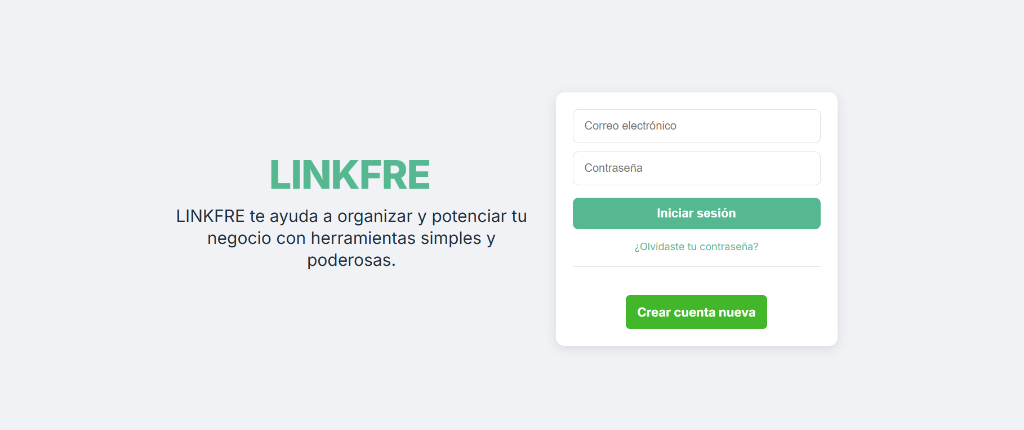
1. How to create your Linkfre
Follow these steps to set up your account and create your first microsite.
2
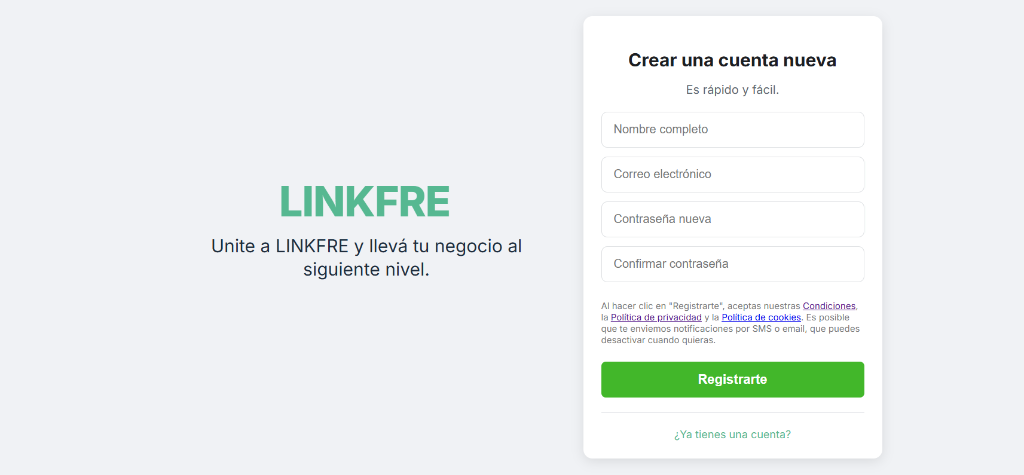
Verification
Upon registration, a validation code will be sent to your email to login.
3
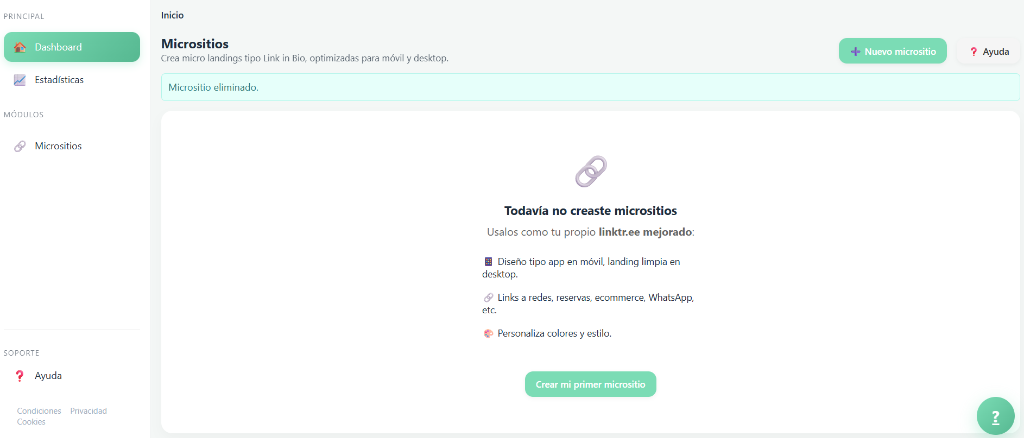
Go to Microsites
Once in the dashboard, go to the Microsites section in the menu.
4
Create and Save
Click "New microsite", customize it, and save changes.

5
Copy Link
You will see your finished microsite. Copy the link to use on your social media.

2. How to share on Instagram
Once your link is copied, follow these steps in the Instagram app:
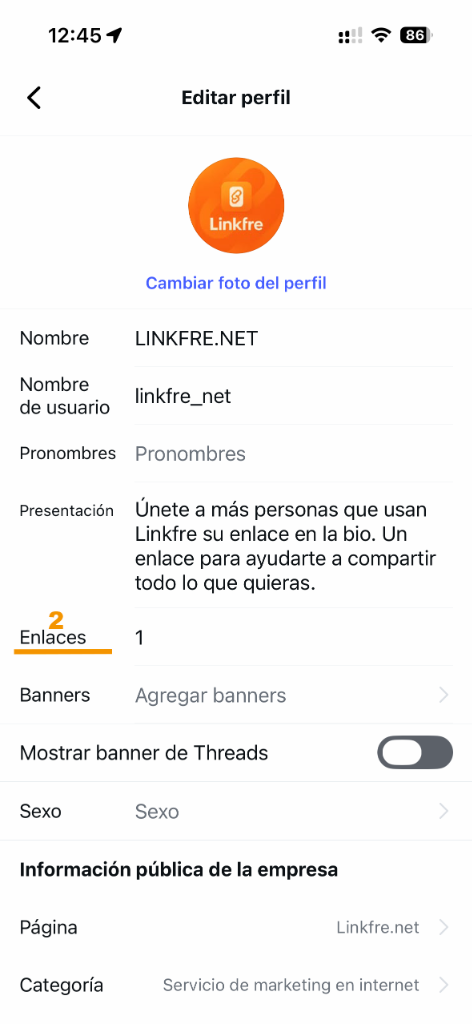
1
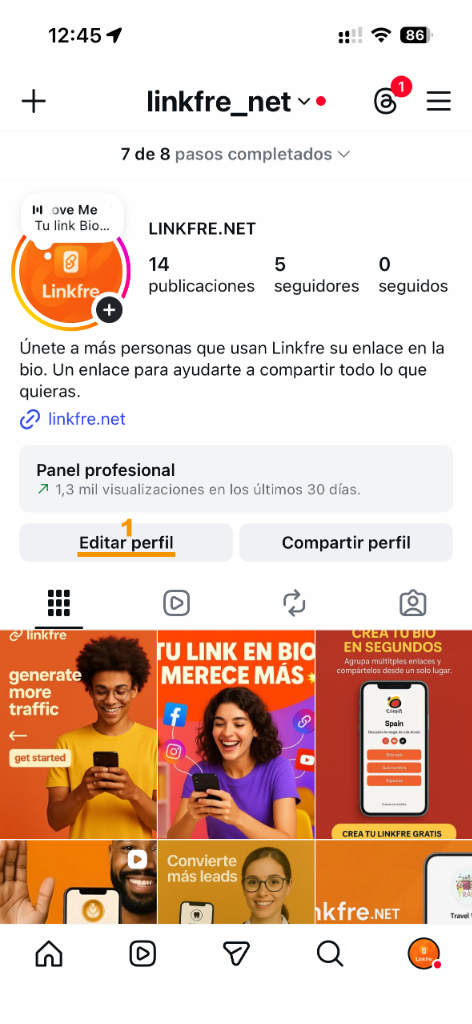
Edit Profile
Go to your Instagram profile and tap Edit Profile.
2
Links
Tap on Links.
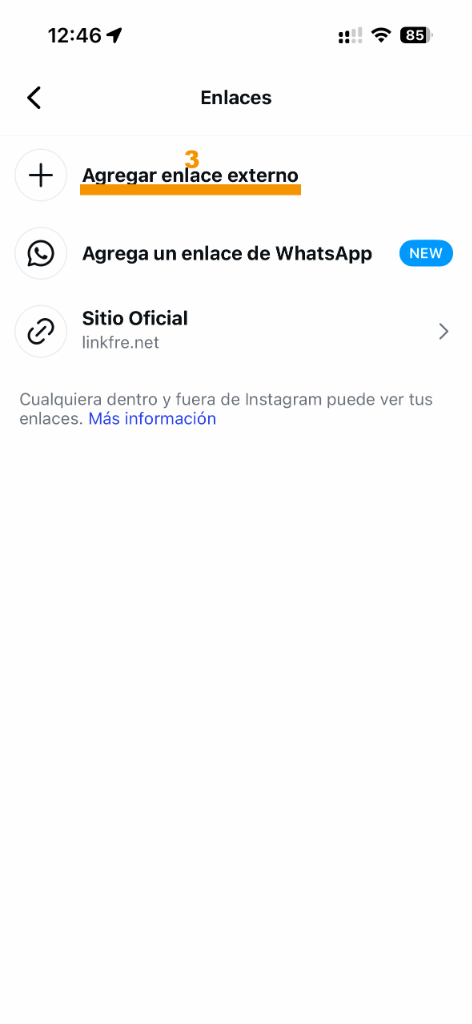
3
Add Link
Tap on Add External Link.
4
Paste URL
Paste the link copied from the dashboard (e.g., https://linkfre.net/your_name).
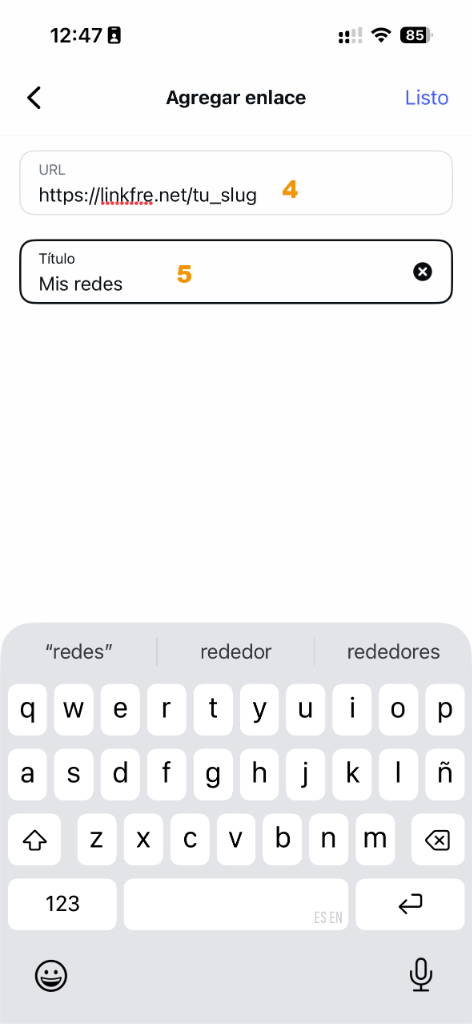
5
Optional Title
You can add a title to the link (optional).
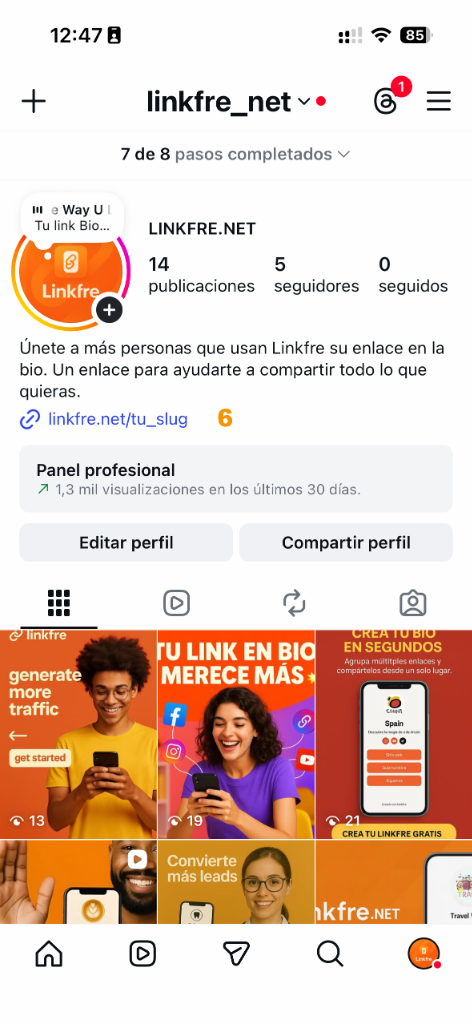
6
Done!
You can now access your personalized Bio from anywhere.
Note: This also applies to other social networks like X (Twitter), LinkedIn, Facebook, etc.